
✦ AI Summary
Table of Content
▲- What is Jharbhoomi?
- Understanding Khata, Khesra, and Register-II
- How to Check Khata (Record of Rights) Online
- How to Check Khesra Number and Plot Details Online
- How to Check Register-II (Panji-2) Online
- How to View and Download Bhu Naksha Online
- How to Apply for Mutation (Dakhil-Kharij) Online
- Online vs Offline Land Record Access
- How to Pay Online Land Revenue
- Jharbhoomi Mobile App
- Documents Required for Common Land Record Tasks
- Important Tips for Using Jharbhoomi in 2026
- Final Thoughts
The Digital India Land Records Modernisation Programme has established a digital verification system which enables easier access to land verification processes in Jharkhand. You can use the Jharbhoomi portal to obtain Khata and Khesra and land records for your agricultural land purchase and home loan application and ancestral property verification needs without having to visit an Anchal office.
This guide explains the complete process clearly and practically so you can find what you need without confusion.
What is Jharbhoomi?
Jharbhoomi is the official online land records platform operated by the Jharkhand Department of Revenue and Land Reforms. It was developed under the Digital India Land Records Modernisation Programme to make the state's land record system fully transparent and accessible to every citizen.
The portal offers multiple land-related services including:
- Viewing Apna Khata (Record of Rights / RoR)
- Checking Register-II (Panji-2) Revenue Rent Register
- Accessing Khesra War Vivaran for Plot-wise Land Details
- Downloading Bhu Naksha for Digital Cadastral Maps
- Filing Online Mutation (Dakhil-Kharij) Applications
- Paying Online Lagan: Annual Land Tax
- Tracking Mutation and Application Status
It eliminates the need for repeated visits to Anchal offices for most routine land record requirements.
Understanding Khata, Khesra, and Register-II
Before you proceed with filling the forms in the Portal, it is important to understand what each term means and when each will apply to your needs.
|
Term |
Also Known As |
What It Contains |
Best Used For |
|---|---|---|---|
|
Khata (खाता) |
Khatian / RoR |
Owner name, Khata No., land type, area, Khesra list |
Verifying ownership |
|
Khesra (खेसरा) |
Plot Number / Survey No. |
Unique ID for each land parcel or field |
Locating a specific plot |
|
Register-II (Panji-2) |
Rent Register |
Possession details, revenue entries, mutation cases |
Revenue and legal verification |
|
Bhu Naksha |
Cadastral Map |
Digital boundary map of the plot |
Boundary and shape verification |
Khata serves as the official account number which identifies landowners together with their complete list of land parcels. Khesra exists as the distinct survey identifier which designates a specific land plot. One Khata can contain multiple Khesra numbers. The three documents need to undergo cross-verification for consistency during property transactions and loan applications.
Also Read: How to View and Download Bhu Naksha from Jamabandi Haryana Portal
How to Check Khata (Record of Rights) Online
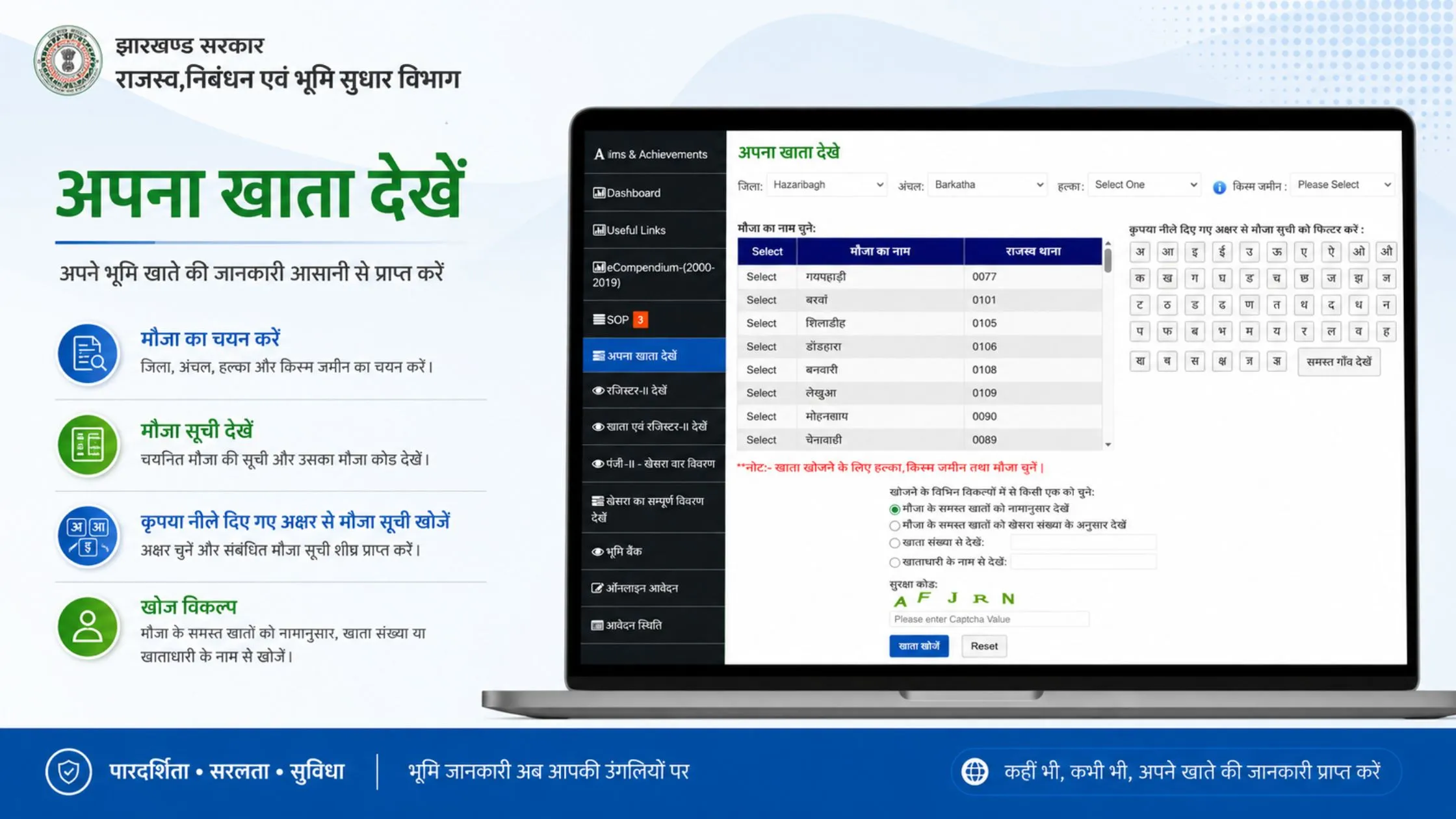
The portal provides access to Apna Khata which serves as the most important land document for official use. The document establishes legal ownership rights while listing all land parcels that belong to a particular owner.
- If you want to access Jharbhoomi on your mobile or on your desktop, the user must have to visit jharbhoomi.jharkhand.gov.in on your Web browser.
- Click on Apna Khata Dekhen from the homepage menu
- A District Map of Jharkhand will appear, then click on your district
- Select your Block (Anchal) from the block map that appears
- Choose Halka and Mauza (village) from the dropdown form
- Search by Khata Number, Raiyat (owner) Name, or Khesra Number
- Enter the captcha and click Search
The result displays the Khata Number and Raiyat Name, all Khesra numbers mapped to that Khata, and land area, classification, and remarks. The system requires verification because ownership name on record does not match seller name during purchase transaction.
How to Check Khesra Number and Plot Details Online
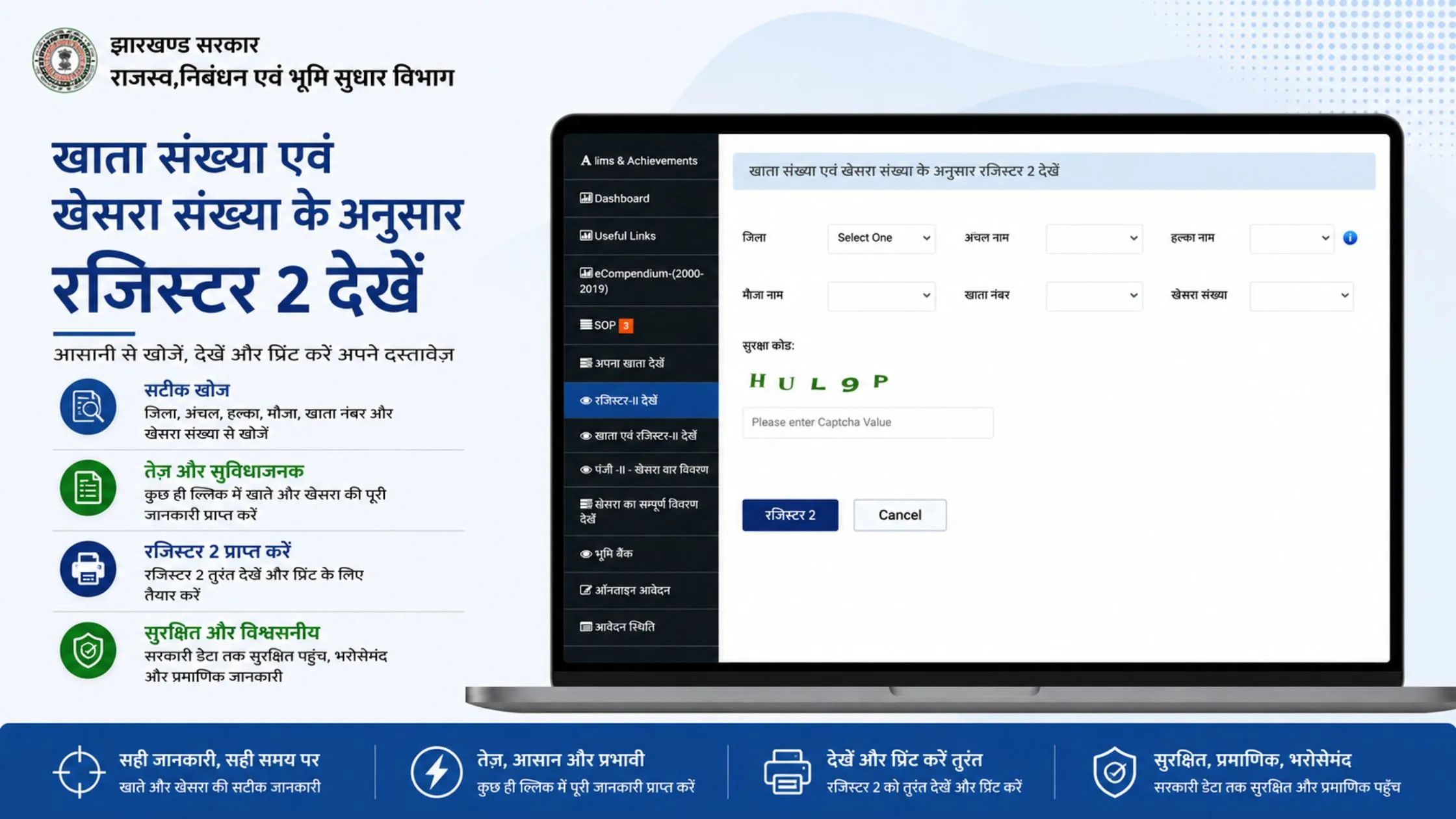
For those who merely hold a plot number and no khate number, you must go with Panji-2 Khasra War Vivaran through BhuNaksha.
- Go to jharbhoomi.jharkhand.gov.in and click Panji-2 – Khesra War Vivaran
- Select District → Anchal → Halka → Mauza sequentially from the dropdown menus
- Enter your Khesra Number in the search field
- Enter the captcha and submit to view complete plot-wise details
The Khata Evam Register-II option on the homepage provides users with an all-encompassing solution which combines ownership records and revenue entries into a single display. The material proves especially beneficial for creating documents needed in banking loan requests and for authenticating legal matters.
How to Check Register-II (Panji-2) Online
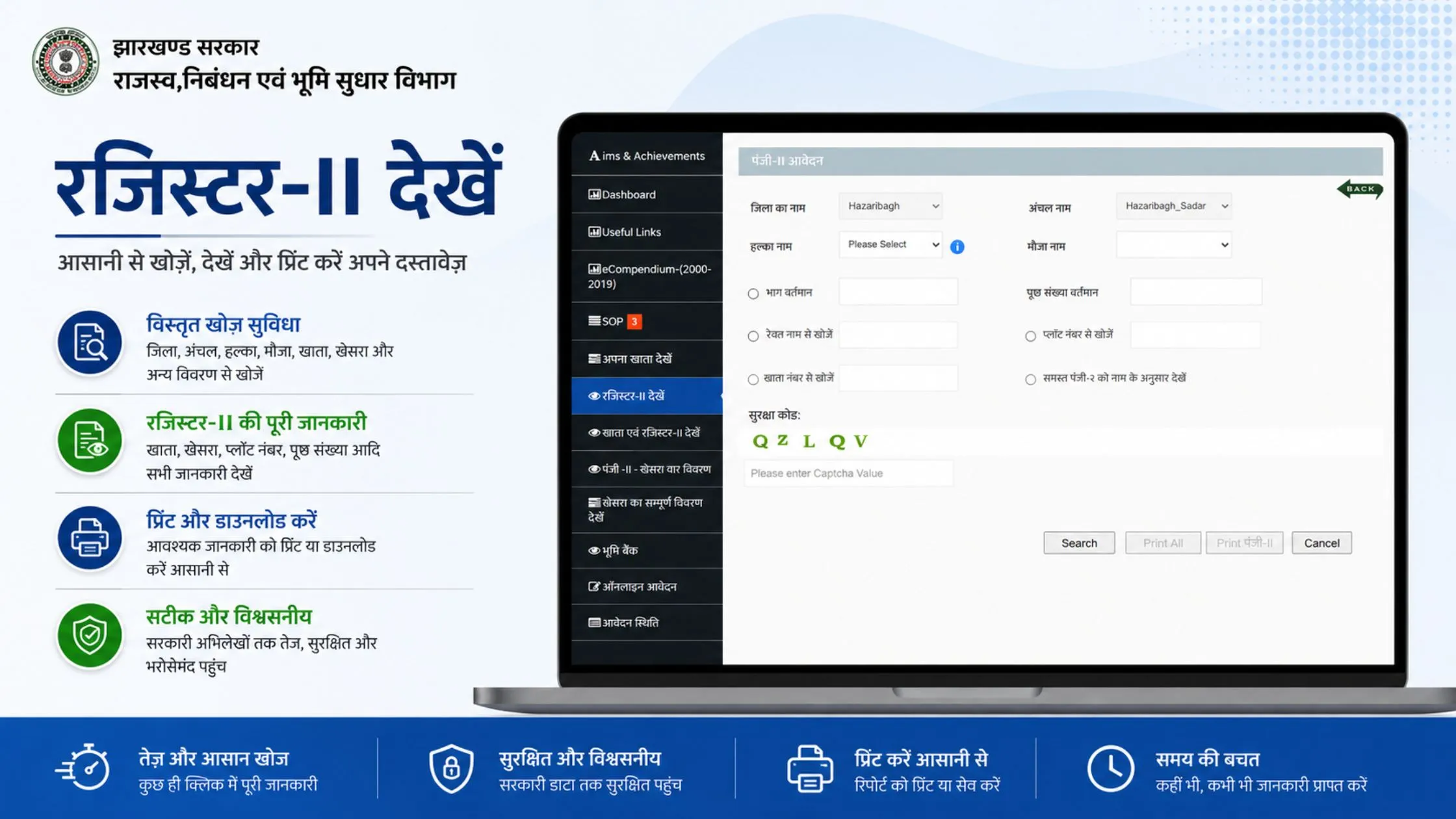
The Jharkhand Revenue Department maintains Register-II which is known as Panji-2 to function as their revenue rent register. The system records information about land ownership together with tax details and property ownership changes for every individual land parcel. The document proves necessary for both legal and financial assessment purposes because it verifies ownership of a property that has undergone multiple transfers.
The Khata Evam Register-II Dekhen option on the portal retrieves both the ownership record and the revenue register simultaneously, making it the most efficient way to conduct a full verification. The Register-II section and Apna Khata system need to be checked together to verify that ownership information matches revenue records.
How to View and Download Bhu Naksha Online
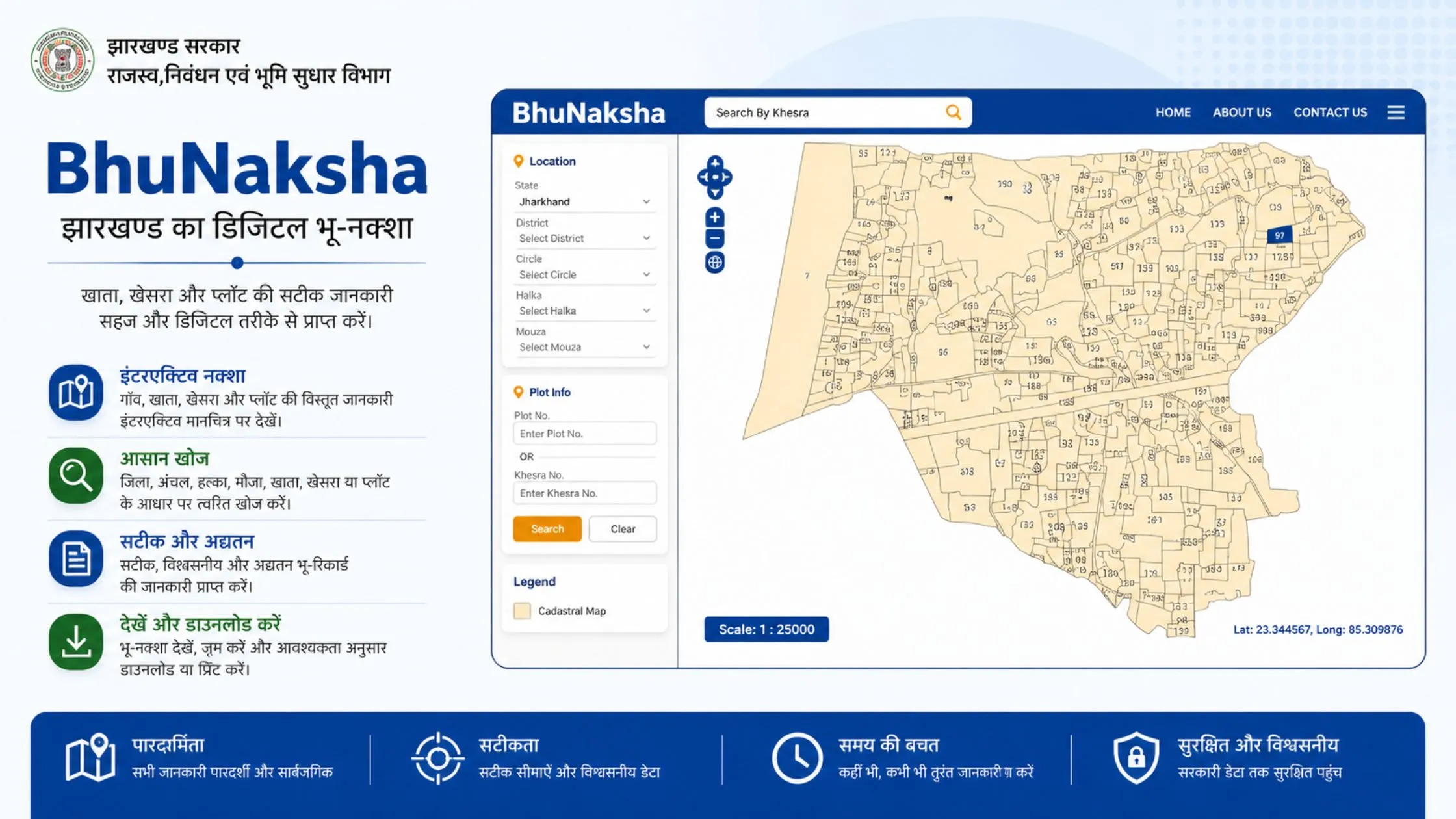
The Bhu Naksha feature provides a digital cadastral map which displays the precise boundary line and shape and measurement details of a land parcel. The Jharbhoomi feature will provide real-time data access and direct PDF download capabilities in 2026 which makes it more dependable than traditional printed survey maps.
- On the Jharbhoomi homepage, click the Bhu Naksha button
- Select District, Anchal, Halka, Mauza, and Sheet Number from the dropdown menus
- Your plot will be displayed on the digital map with boundary lines
- Click on the plot to view its associated Khesra details
- Use Map Report → Show Report PDF to download the digital land map
The reported discrepancy results from a difference between the boundary of the map displayed on the portal of the services and the physical boundary of the land visible on the ground; this should be addressed through contact with the Anchal Office before finalization of the transaction.
Also Read: How to Transfer Ancestral Property After Death Without a Will
How to Apply for Mutation (Dakhil-Kharij) Online
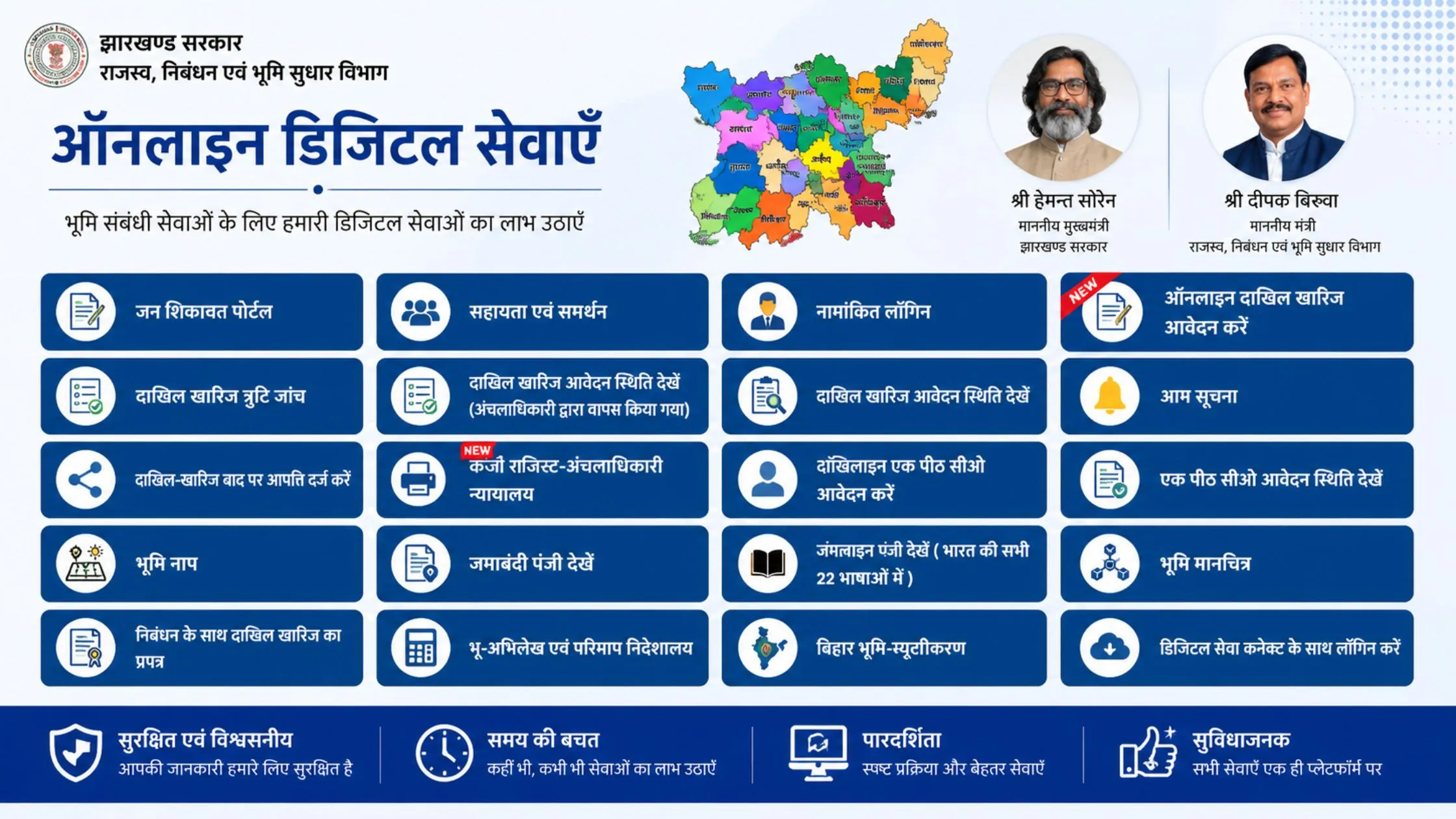
Mutation refers to the procedure which updates land ownership records after property transactions or inheritance or gift transfer. The Jharbhoomi system enables users to complete the entire mutation process through online applications without needing to visit tehsils multiple times.
Applying for New Mutation
- Click Online Application on the homepage and log in or register
- Select District, Anchal, and Session, then click Apply New Mutation
- Fill in Applicant, Buyer, Seller, and Plot details completely
- Upload required documents like sale deed, Aadhaar, and previous Khatian
- Submit the form and note your Application Number carefully for future tracking
Checking Mutation Status
- Click Application Status on the portal
- Select District, Anchal, Year/Session, and Status Type (Pending / Approved / Rejected)
- Enter captcha and click Search to view the current stage of your application
After buying a property, the buyers are normally expected to embark on the appropriate measure to verify everything about the mutation status simply to confirm that their names are really reflected in the property revenue records.
Online vs Offline Land Record Access
|
Feature |
Online via Jharbhoomi |
Offline via Anchal Office |
|---|---|---|
|
Time Required |
Few minutes |
Several hours |
|
Convenience |
High |
Low |
|
Accessibility |
24x7 |
Limited hours |
|
Cost |
Free |
May include service fees |
|
Transparency |
High |
Moderate |
In the majority of real estate requirements, an online system usually runs more smoothly and efficiently.
How to Pay Online Land Revenue
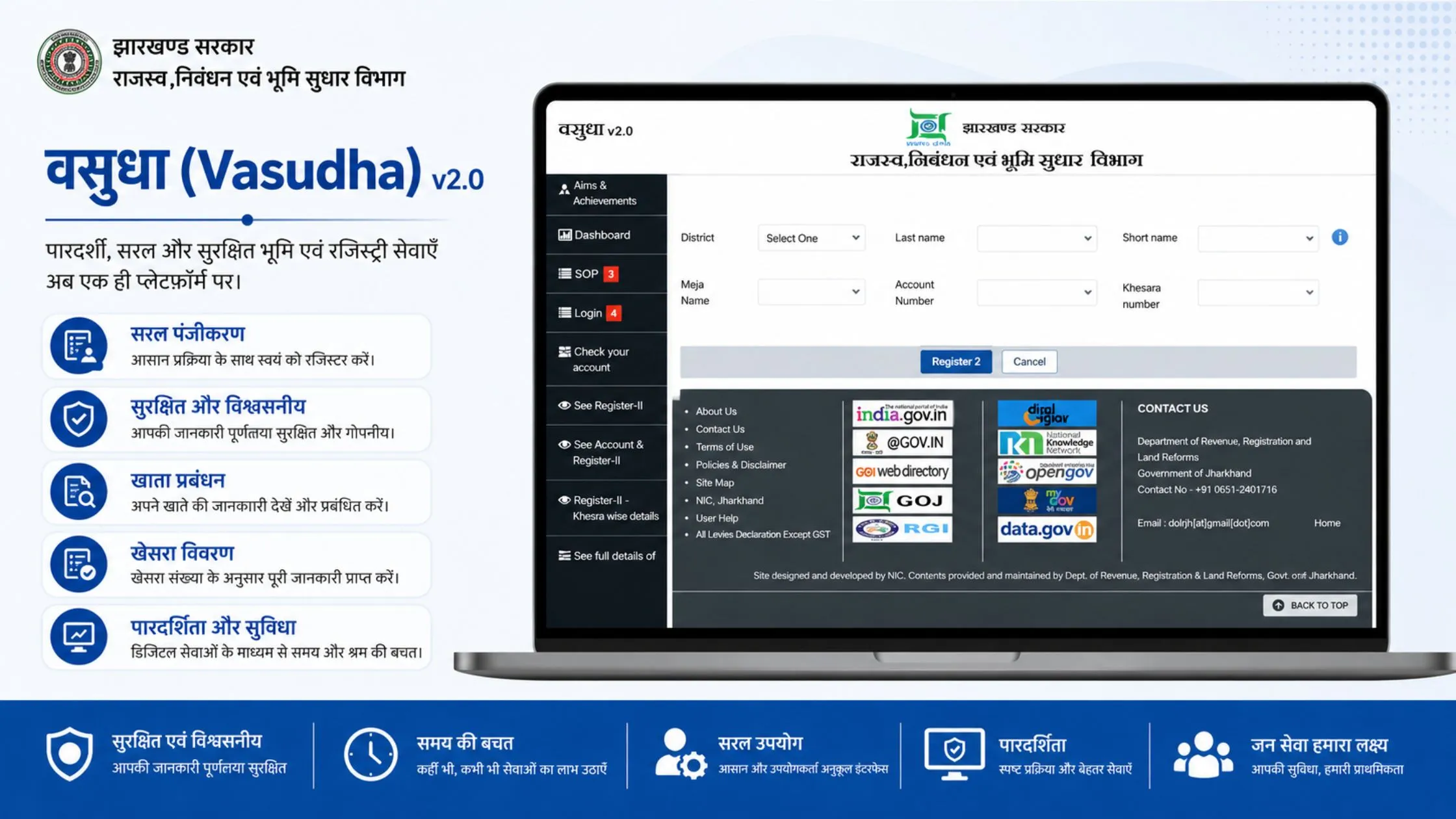
As soon as there are no government offices involved, you can always pay Jharkhand land tax online site Jharbhoomi.
- Click Online Land Revenue on the Jharbhoomi homepage
- Select Online Payment Dekhen and choose District, Anchal, and Halka
- Search by Khata/Khesra number or Prishtha Sankhya, then enter the captcha
- View outstanding dues and click Online Payment
- Pay securely via Net Banking or Debit Card and download the payment receipt
Possessing a copy of a paid receipt and submitting it along with property tax returns especially when preparing papers for the execution of property sale or loan application is the best way for property owners to have valid evidence of recognized tax compliance.
Jharbhoomi Mobile App
The Jharbhoomi mobile app is available on both Google Play Store and Apple App Store. Users need to search for Jharbhoomi Jharkhand to download the official application. The application enables users to access Khata and Khesra information check mutation status view Bhu Naksha maps and make Lagan payments through their smartphones without needing to use a desktop browser.
Documents Required for Common Land Record Tasks
Having the right information ready before starting a portal search avoids incomplete results and repeated attempts. The standard details required include:
- District, Block (Anchal), Halka, and Mauza of the property
- Khata number or Raiyat (owner) name
- Khesra or plot number
- Identity proof for mutation or verified copy applications
- Sale deed and previous Khatian for mutation filing
- Application number for status tracking
Important Tips for Using Jharbhoomi in 2026
You should always access official website jharbhoomi.jharkhand.gov.in because all unofficial websites that resemble the official site will present incorrect and outdated information. Users should download current records which exist on the portal because updates occur throughout the day before any transaction or loan application. Users need to store all PDFs inside one folder which they should name using District Mauza and Khata numbers to facilitate their documentation process.
You can correct errors in your land records through two methods which include using the Parishodhan portal and submitting an offline request to your local Anchal office together with supporting documents. The best method to establish complete and legally valid land record information requires cross-verification of Apna Khata with Register-II and Bhu Naksha.
Final Thoughts
Jharbhoomi has established an easy method for all Jharkhand residents to access Khata, Khesra, and land records. The portal allows users to verify ownership information through its accurate and current database which requires no office visits. The system uses digital tools to decrease fraud risk and save time while delivering users access to the latest revenue data. The process has become essential for all people who need to manage land in Jharkhand.






Ans 1. Visit jharbhoomi.jharkhand.gov.in and click Apna Khata Dekhen. Select your District, Block (Anchal), Halka, and Mauza from the map and dropdown menus. Search by Raiyat name or Khesra number to retrieve the associated Khata number and full Record of Rights details without visiting any government office.
Ans 2. Use the Panji-2 Khesra War Vivaran option on the Jharbhoomi portal. Select your District, Anchal, Halka, and Mauza sequentially, then enter the owner name or plot area to retrieve the Khesra number. Alternatively, search by owner name under Apna Khata Dekhen, the ownership record will display all associated Khesra numbers mapped to that Khata.
Ans 3. Khata is the account number assigned to a landowner that groups all plots owned by that individual or family. Khesra is the unique survey number assigned to each individual plot or parcel of land. One Khata can contain multiple Khesra numbers, and a single Khesra belongs to only one Khata. Both are needed together to fully identify and verify land ownership in Jharkhand.
Ans 4. Register-II, also called Panji-2, is the revenue rent register maintained by the Jharkhand Revenue Department. It records land possession details, revenue payment history, and mutation case information for each plot. It is used alongside Apna Khata for complete legal and financial verification and is particularly important when a property has changed hands through sale, inheritance, or gift.
Ans 5. On the Jharbhoomi homepage, click the Bhu Naksha button. Select your District, Anchal, Halka, Mauza, and Sheet Number from the dropdown menus. Once the digital cadastral map loads, click on your plot to view its Khesra details. Use Map Report then Show Report PDF to download the land boundary map as a PDF document.
Ans 6. Go to jharbhoomi.jharkhand.gov.in and click Application Status. Select your District, Anchal, Year or Session, and the Status Type, Pending, Approved, or Rejected. Enter the captcha and click Search to view the current stage of your Dakhil-Kharij mutation application along with any remarks or pending requirements.
Ans 7. Click Online Lagan on the Jharbhoomi homepage and select Online Payment Dekhen. Choose District, Anchal, and Halka, then search by Khata or Khesra number and enter the captcha. View your outstanding dues and click Online Payment Karein to pay through Net Banking or Debit Card. Download the receipt immediately after payment for your records.
Ans 8. Yes. Viewing Khata, Khesra, Register-II, and Bhu Naksha on the Jharbhoomi portal is completely free for all Jharkhand residents. No fee is required to access or download these records. The portal is accessible around the clock without any registration requirement for basic land record viewing.
Ans 9. Yes. The Jharbhoomi mobile app is available on both Google Play Store and Apple App Store. Search for Jharbhoomi Jharkhand to download the official application. The app supports Khata and Khesra record viewing, Bhu Naksha access, mutation status tracking, and Lagan payment directly from a smartphone.
Ans 10. To correct errors in your Khata, Khesra, or other land record details, submit an application through the Parishodhan portal with supporting documents such as sale deeds, previous Khatian copies, and identity proof. Alternatively, file an offline correction request at your nearest Anchal office. Corrections to revenue records typically require a review by the Circle Officer before the changes are reflected on the portal.