
Table of Content
▲- What is Haryana Property Tax?
- How to Calculate Haryana Property Tax
- How to Pay Haryana Property Tax Online
- How to Pay Haryana Property Tax Offline
- City-wise Online Property Tax Portals in Haryana
- How to Verify Haryana Property Tax Payment
- New User Registration on ULB Haryana Portal
- How to Create a New Property ID
- Documents Required for Haryana Property Tax
- Self-Certification & Rebates
- Exemptions & Rebates
- ULB Haryana Mobile App: DULB Haryana Online
- Contact ULB Haryana
- Conclusion
Owning a property in Haryana comes with many responsibilities, and one of the most important is paying the Haryana Property Tax. This annual tax plays a crucial role in maintaining the city’s roads, parks, water supply, drainage, sanitation, and other civic services. As a property owner, understanding how to calculate, pay, and manage your property tax is essential to avoid penalties and ensure smooth compliance. In this guide, I’ll walk you through everything you need to know about Haryana Property Tax in 2025.
What is Haryana Property Tax?
Haryana Property Tax is an annual tax levied on residential and commercial properties across the state. The tax is collected by the Department of Urban Local Bodies (ULB Haryana) and is used to fund the maintenance of civic infrastructure in urban areas. Cities like Faridabad, Gurugram, Panipat, and Panchkula rely heavily on this revenue to improve city facilities and services.
Also Read: Stamp Duty in Haryana and Property Registration Fees for 2025: What to Expect
How to Calculate Haryana Property Tax
Calculating Haryana Property Tax depends on several factors including property type, size, location, age, and intended use. Here’s a step-by-step guide to make the process easier:
- Visit the official ULB Haryana website.
- Search for your property using the Property ID, owner’s name, or address.
- The assessed property tax value will be displayed.
- You can reassess the value using the Self Assessment or Update Property Details option if needed.
Property Tax Formula
You can calculate Haryana Property Tax using the following formula:
Property Tax = Base Value × Age Factor × Built-up Area × Category of Use × Type of Building × Floor Factor
This formula ensures that the tax reflects the actual value and use of your property.
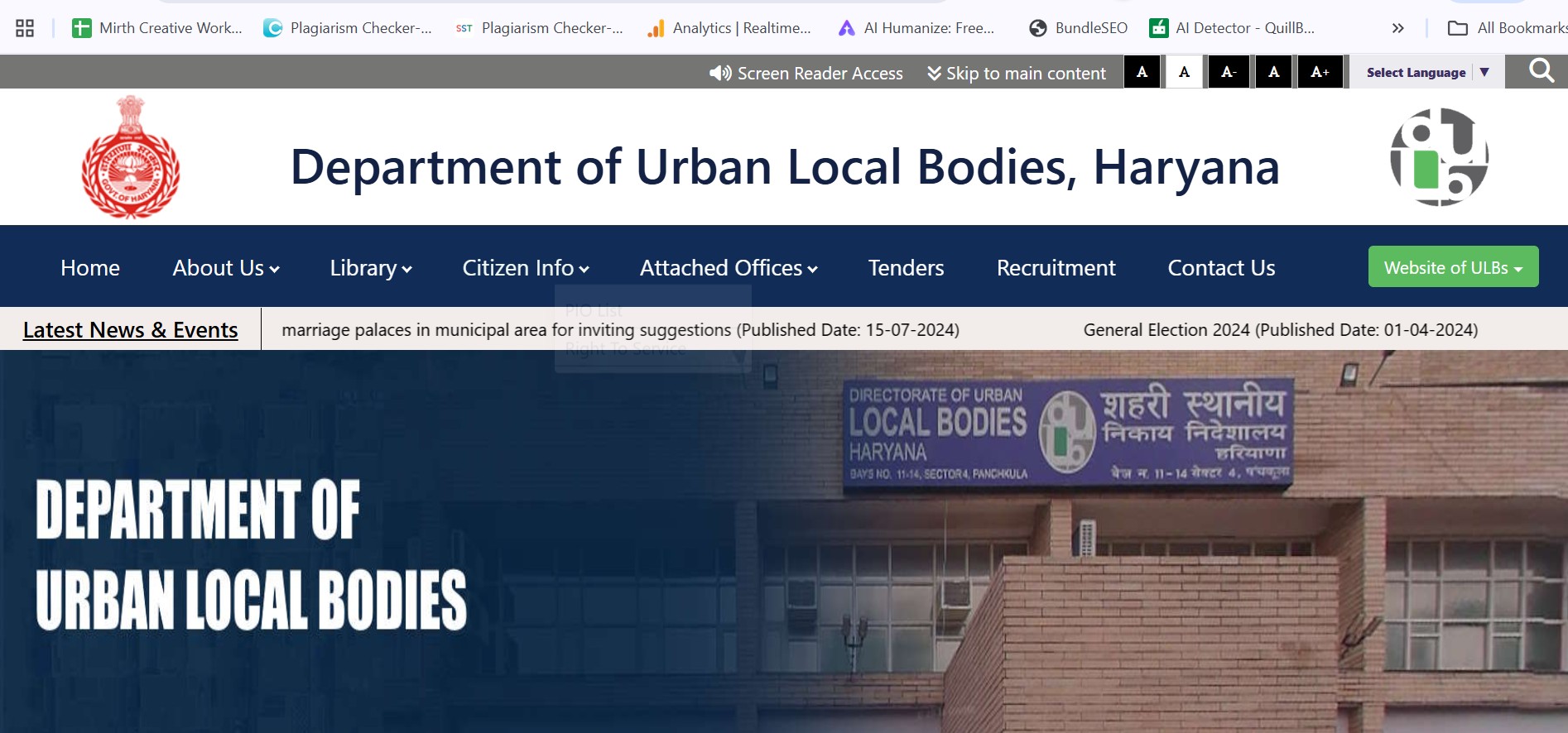
How to Pay Haryana Property Tax Online
The Haryana government has made it convenient to pay property tax online. Here’s how:
- Go to the official ULB Haryana website at ulbharyana.gov.in
- Click on the Online Services tab.
- Select Payment of Property Tax Dues and visit the portal: property.ulbharyana.gov.in
- Log in using your registered mobile number (Citizen login).
- If not registered, complete the new user registration.
- Enter property details: district, locality, house number, owner name, and property number.
- Proceed with payment via Credit/Debit Card, UPI, Mobile Wallet, RTGS, or IMPS.
How to Pay Haryana Property Tax Offline
If you prefer offline payment, follow these steps:
- Collect your Property ID and necessary documents (ID, address proof, ownership documents, previous receipts, PAN).
- Visit the nearest Municipal Corporation office or authorized bank branch.
- Verify property tax amount and recalculate if needed.
- Pay using cash, cheque, demand draft, or card.
- Collect the payment receipt for future reference.
City-wise Online Property Tax Portals in Haryana
- Gurugram: https://www.mcg.gov.in/
- Panipat: https://nagarnigampanipat.in/
- Other cities: https://property.ulbharyana.gov.in/
How to Verify Haryana Property Tax Payment
- Visit the ULB Haryana portal.
- Go to Online Services → Payment of Property Tax Dues.
- Log in with your registered number.
- Click Verify Payment and enter the transaction number, owner's name, and mobile number.
- The payment status will be displayed instantly.
New User Registration on ULB Haryana Portal
- Visit ulbharyana.gov.in.
- Click Online Services → Payment of Property Tax Dues.
- Click New Registration and fill in your name, father/husband's name, and mobile number.
- Click Register to create your account.
How to Create a New Property ID
Properties without an existing ID can generate one online:
- Log in to the ULB Haryana portal.
- Select Create New Property ID.
- Enter property details, district, municipality, and colony.
- Mark the property location on the map.
- Add owner and property construction details.
- Submit and verify via OTP.
- Receive an application number to track Property ID status.
Documents Required for Haryana Property Tax
- Unique Property ID (or old ID)
- Owner’s name
- Aadhar card
- Address proof
- Property tax invoice details
Self-Certification & Rebates
Property owners can self-certify their properties to get a 15% rebate on annual property tax:
- Log in to ulbhryndc.org.
- Select View Details / Self-Certify for your property.
- Follow the steps to complete the self-certification.
Exemptions & Rebates
- 30% rebate: Clear all dues within 45 days.
- 10% rebate: Pay total tax before July 31.
- Exemptions: Religious properties and state government buildings.
- Panchkula Diwali relief: 50% interest rebate on pending tax, reduced community hall booking fees, and waived garbage tax.
Also Read: Everything You Must Know About Chandigarh Circle Rates
ULB Haryana Mobile App: DULB Haryana Online
The DULB Haryana Online app allows residents to:
- Pay Haryana Property Tax online
- Verify transactions
- Apply for No Dues Certificates
- Access other municipal services
Available on Google Play Store and Apple App Store.
Contact ULB Haryana
- Phone: 0172-2590082 / 0172-2580700
- Email: dulbhry@hry.nic.in
- Office: Director General, Urban Local Bodies, Haryana, Bays 11–14, Sector-4, Panchkula
- Working Hours: 9:00 AM to 5:00 PM (Monday to Saturday)
Conclusion
Paying Haryana Property Tax is simple and convenient, thanks to the online portal, mobile app, and offline facilities. Staying up-to-date with property tax ensures uninterrupted civic services and allows you to avail rebates and exemptions. Whether you’re a first-time property owner or managing multiple properties, ULB Haryana provides all the tools you need to calculate, pay, and track your property tax efficiently.




Ans 1. Haryana Property Tax is an annual tax levied on residential and commercial properties across the state. The revenue funds civic services like roads, water supply, drainage, and sanitation.
Ans 2. Property tax is calculated using the formula:Property Tax = Base Value × Age Factor × Built-up Area × Category of Use × Type of Building × Floor FactorThis ensures the tax reflects your property’s value, type, age, and usage.
Ans 3. Yes. You can pay online via the official ULB Haryana portal: property.ulbharyana.gov.in using Credit/Debit Card, UPI, Mobile Wallet, RTGS, or IMPS.
Ans 4. Visit your nearest Municipal Corporation office or authorized bank branch with your Property ID and necessary documents. Payment can be made via cash, cheque, demand draft, or card.
Ans 5. Yes, a Unique Property ID is required. If your property doesn’t have one, you can create it online on the ULB Haryana portal by providing property details, owner information, and marking the location on the map.
Ans 6. Yes. Some examples include: 30% rebate for clearing dues within 45 days, 10% rebate for full payment before July 31, Exemptions for religious properties and state government buildings, Special Panchkula Diwali relief: 50% interest rebate on pending tax, and waived garbage tax
Ans 7. Log in to the ULB Haryana portal → Online Services → Payment of Property Tax Dues → Verify Payment. Enter transaction number, owner name, and mobile number to check payment status.
Ans 8. Yes. Property owners can log in to ulbhryndc.org and complete self-certification to get a 15% rebate on annual property tax.
Ans 9. Yes. The DULB Haryana Online app allows residents to pay tax, verify transactions, apply for No Dues Certificates, and access other municipal services. It is available on Google Play Store and Apple App Store.
Ans 10. Phone: 0172-2590082 / 0172-2580700, Email: dulbhry@hry.nic.in, Office: Director General, Urban Local Bodies, Haryana, Bays 11–14, Sector-4, Panchkula