
✦ AI Summary
Table of Content
▲- What Is Property Tax in Gandhinagar?
- How to Calculate Property Tax in Gandhinagar
- How to Pay Gandhinagar Property Tax Online
- How to Pay Gandhinagar Property Tax Offline
- Online vs Offline Payment
- How to Download Your GMC Property Tax Receipt
- Due Dates and Payment Schedule
- Rebates and Exemptions on Gandhinagar Property Tax
- Penalties for Late Payment
- GMC Helpline and Contact Details
- Conclusion
Property Tax in Gandhinagar is a mandatory biannual obligation for every property owner in the city, regulated by the Gandhinagar Municipal Corporation (GMC). You must pay your GMC property tax on time because you own either a residential flat or a commercial shop or a vacant plot in order to maintain legal compliance and prevent increasing fines while securing your ownership documentation for future property transactions and home loan requests.
GMC governs a total area of 326 sq. km across 11 wards and relies on property tax revenue to fund road maintenance, water supply, street lighting, sanitation, and urban development across Gandhinagar. The GMC's e-Nagar platform and its official portal make both online and offline payment seamless for all citizens.
This guide covers everything from how property tax is calculated, the step-by-step online and offline payment process, available rebates, and what happens if you miss the deadline.
What Is Property Tax in Gandhinagar?
The Gandhinagar Municipal Corporation (GMC), which began operations in 2010, collects property tax from all property owners who live within its territorial boundaries. The revenue supports necessary public services which include road construction and water supply and waste management and street lighting and public safety operations.
Who Needs to Pay:
All owners within GMC limits are liable, whether they self-occupy or lease the property to tenants.
|
Property Type |
Taxable? |
|---|---|
|
Residential house / flat / apartment |
Yes |
|
Commercial shop / office |
Yes (higher rate) |
|
Industrial property |
Yes |
|
Vacant plot / land |
Yes (lower rate) |
|
Mixed-use property |
Yes |
How to Calculate Property Tax in Gandhinagar
GMC uses the following formula to compute property tax:
Property Tax = Carpet Area x Occupancy Factor x Type of Building x Age Factor
Key Factors That Determine Your Tax Amount:
|
Factor |
What It Means |
|---|---|
|
Built-up / Carpet Area |
Total area of the property in sq. meters or sq. ft. |
|
Property Type |
Residential, commercial, industrial, or vacant |
|
Location / Ward |
Prime zones attract higher rates |
|
Age of Building |
Older properties may get depreciation concessions |
|
Occupancy / Usage |
Self-occupied vs rented; commercial vs residential |
Quick Calculation Example:
|
Parameter |
Value |
|---|---|
|
Built-up Area |
100 sq. meters |
|
GMC Rate (Residential) |
Rs. 10 per sq. meter |
|
Base Tax Amount |
Rs. 1,000 |
How to Pay Gandhinagar Property Tax Online
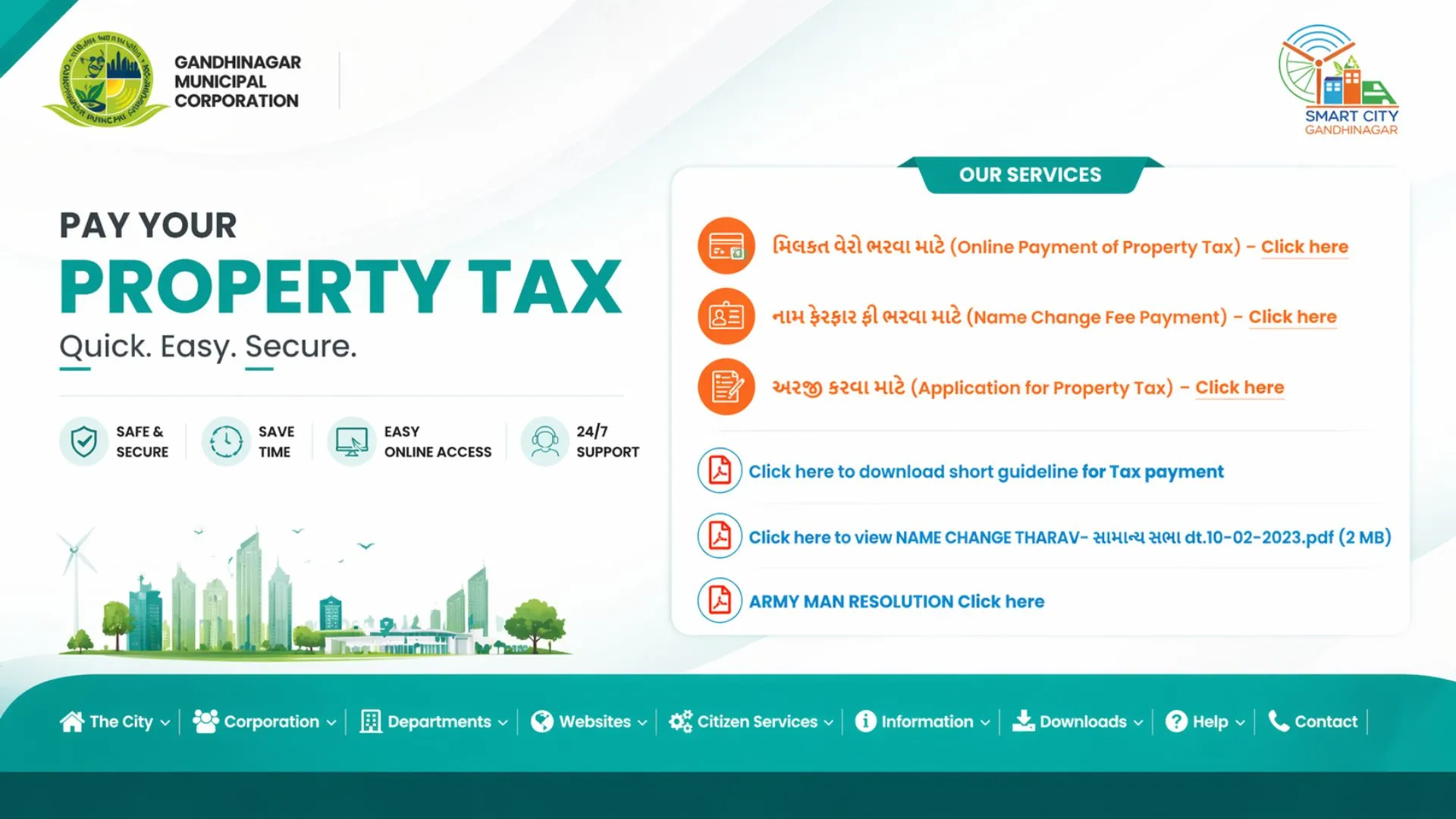
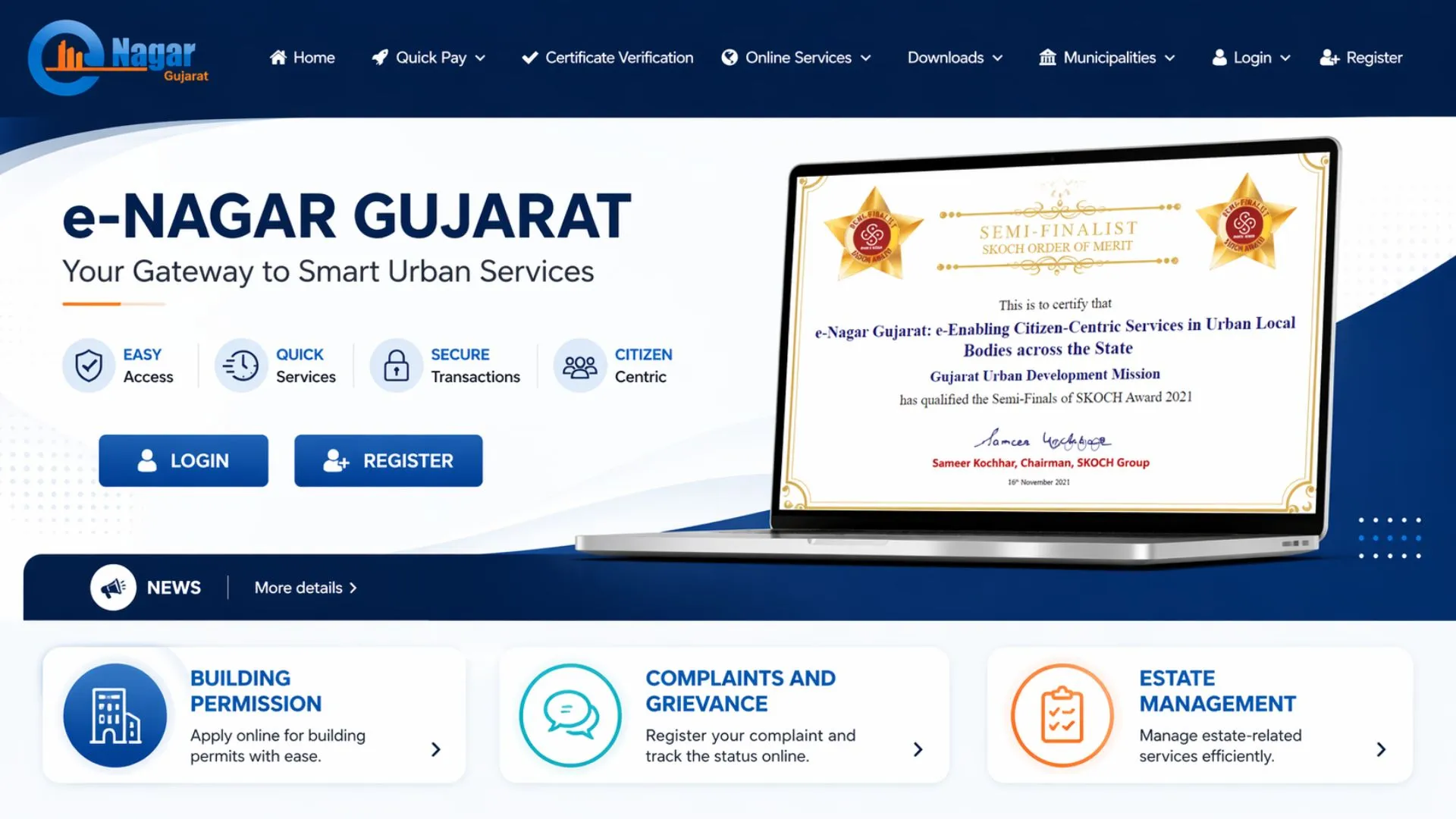
- Visit the Official Portal: The official portal requires users to access either gandhinagarmunicipal.com/property-tax/ or enagar.gujarat.gov.in through any web browser or mobile device.
- Register or Log In: New users must click Signup and enter their mobile number as the username and set a password and enter the captcha and generate an OTP to complete the registration process.
- Search Your Property: Existing users can log in directly. Users need to enter their Property Identification Number (PID) or registered mobile number to access their property record.
- Verify Property Details: The system displays registered property details, which include the owner's name the property ward, the property type, and the outstanding tax amount.
- Click Pay Now: The user needs to check all information before moving forward. The user needs to choose a payment method from UPI, Internet Banking Credit/Debit Card, and other digital wallets to finish the payment process.
- Download Your Receipt: Users need to go to enagar.gujarat.gov.in after confirming their payment to click Payment Receipt and enter their information to get their official receipt. The user should keep a digital version for upcoming reference.
Pro Tip: GMC also offers a WhatsApp chatbot at 94996 11818 for bill access, payment assistance, and general property tax queries, without visiting any office.
Also Read: How to Pay Property Tax in Ranchi: Complete Step-by-Step Guide for 2026
How to Pay Gandhinagar Property Tax Offline
Prefer paying in person? GMC provides offline payment options across the city.
- Visit the GMC Office at Pandit Dindayal Upadhyay Bhavan, Behind Fire Station, Sector-17, Gandhinagar – 382016.
- You must visit the property tax payment counter to obtain the tax payment form.
- The application requires you to enter your Property Identification Number (PID), your name as the owner, your ward number, and your property information.
- Submit the form along with your previous tax receipt or ownership documents.
- Make payment via cash, cheque, or demand draft at authorized bank branches tied up with GMC.
- Collect your stamped official receipt and store it safely, it is as important as any property ownership document you hold.
Online vs Offline Payment
|
Feature |
Online Payment |
Offline Payment |
|---|---|---|
|
Availability |
24x7, anytime |
Office hours only |
|
Convenience |
Pay from home or mobile |
Visit GMC office / bank |
|
Receipt |
Instant digital receipt |
Physical receipt at counter |
|
Payment Modes |
UPI, Net Banking, Cards, WhatsApp |
Cash, Cheque, Demand Draft |
|
Processing Time |
Instant confirmation |
May take processing time |
|
Rebate Eligibility |
Higher (early payment discounts) |
Lower rebate applicable |
|
Best For |
Tech-savvy property owners |
Those without internet access |
How to Download Your GMC Property Tax Receipt
After completing your payment, always download and save your receipt. Here is how:
- Visit enagar.gujarat.gov.in and navigate to the Property Tax section.
- Enter your Property Identification Number (PID) and click Search.
- Go to your payment history and select the relevant payment record.
- Click Download Receipt and save the PDF.
Your receipt is essential for property sales, bank loan applications, and legal verification. Keep it stored securely.
Due Dates and Payment Schedule
GMC collects property tax in two installments every year, and missing any deadline will impose penalties to compound over subsequent years.
|
Payment Period |
Due Date |
Rebate Available |
|---|---|---|
|
First Half (H1) |
31st March 2026 |
Early payment discount applicable |
|
Second Half (H2) |
15th October 2026 |
Early payment discount applicable |
Rebates and Exemptions on Gandhinagar Property Tax
|
Category |
Benefit |
Condition |
|---|---|---|
|
Senior Citizens |
Reduced rate on residential property |
Property must be solely residential |
|
Women Property Owners |
Special rebate |
Property registered in woman's name |
|
Eco-Friendly Properties |
Tax rebate |
Solar panels or rainwater harvesting installed |
|
Early / Advance Payers |
Percentage discount |
Payment before the due date |
Pro Tip: Always opt for online payment and early submission to maximise rebate eligibility. Contact GMC directly to verify current discount percentages for FY 2025-26.
Penalties for Late Payment
The cost of missing your GMC property tax deadline will result in certain financial penalties which you will need to pay. The following details explain the consequences which you will experience:
|
Penalty Component |
Rate |
|---|---|
|
Interest on outstanding amount |
18% per annum |
|
Notice fee |
0.5% |
|
Education fee surcharge |
25% |
Without payment as settled, worse, without consistent non-payment, payment life does harm financially:
- Legal notices from GMC
- Property attachment proceedings
- Auctioning of property to recover dues
- Disconnection of essential utilities like water supply and electricity
Also Read: How to Pay Property Tax in Chandigarh: Complete Step-by-Step Guide (2026)
GMC Helpline and Contact Details
|
Detail |
Information |
|---|---|
|
Official GMC Portal |
gandhinagarmunicipal.com/property-tax/ |
|
State Payment Portal |
enagar.gujarat.gov.in |
|
WhatsApp Chatbot |
94996 11818 |
|
GMC Office Address |
Sector-17, Gandhinagar – 382016 |
|
Payment Modes |
Online (portal) & Offline (GMC office / banks) |
|
Due Dates |
31st March & 15th October |
Conclusion
Property owners in Gandhinagar must pay their property tax twice each year to fulfill their civic duty. The Gujarat state e-Nagar platform along with WhatsApp chatbot support at 94996 11818 and multiple offline payment centres make it easier for customers to pay their 2026 GMC property tax through the user-friendly online portal at gandhinagarmunicipal.com.
Early payment discounts activate when you pay your bill before its due date while you must download your official receipt to maintain proper property documentation. Your property rights protection and yearly compliance requirements will remain intact through a few minutes of work you complete today.






Ans 1. The official GMC payment portal is gandhinagarmunicipal.com/property-tax/. You can also pay through Gujarat's state portal at enagar.gujarat.gov.in.
Ans 2. GMC collects property tax in two instalments, the first half is due by 31st March 2026 and the second half by 15th October 2026.
Ans 3. GMC uses the formula: Carpet Area x Occupancy Factor x Type of Building x Age Factor. Factors like property location, usage, and age of building also influence the final amount.
Ans 4. GMC levies 18% per annum interest, a 0.5% notice fee, and a 25% education fee surcharge on delayed payments. Persistent defaulters can face property attachment.
Ans 5. Yes. GMC offers a fully functional online payment facility at its official portal, accepting UPI, net banking, and debit/credit cards, available 24x7 from any device.
Ans 6. Visit enagar.gujarat.gov.in, go to the Payment Receipt section, enter your Property Identification Number (PID), and download your official tax receipt in PDF format.
Ans 7. Yes. GMC operates a WhatsApp chatbot at 94996 11818 that helps citizens access their tax bills, get payment guidance, and resolve property tax queries instantly.
Ans 8. GMC offers exemptions for senior citizens, women property owners, and properties with eco-friendly installations like solar panels or rainwater harvesting systems. Early payers also receive discount rebates.
Ans 9. Yes. Property owners can download the self-assessment form from the GMC portal, fill it out with accurate property details, and submit it at the nearest municipal office.
Ans 10. Continued non-payment can result in property attachment, legal proceedings, auctioning by GMC to recover dues, and disconnection of essential utilities like water supply.